AI Copilot for Odoo
Experience the future of business intelligence with our AI Copilot
16.0
17.0
18.0
19.0
USD270
2
Full audit logs & governance
Works on Odoo permissions only
Privacy of data
Odoo Expert help within 24 hrs

Secure Checkout



Product Specifications
Secure MCP-based enterprise AI —
Privacy-first Copilot that keeps execution inside Odoo and keeps LLMs away from raw ERP data. Any write action is approval-driven and can be audited.
What you get (fast)
- ✓AI never directly touches your Odoo database
- ✓Safe, controlled context (policy-approved only)
- ✓You approve before anything changes
Built for governance
- ✓Role-based access control (respects Odoo permissions)
- ✓Full audit logs & traceability
- ✓No hidden automation — execution stays inside Odoo
Features
AI never directly touches your Odoo data
The AI cannot access your database on its own. Odoo prepares and shares only the exact context needed.
Safe and controlled data access
Every piece of information is checked and approved by Odoo before it is shared with the AI.
You approve before anything changes
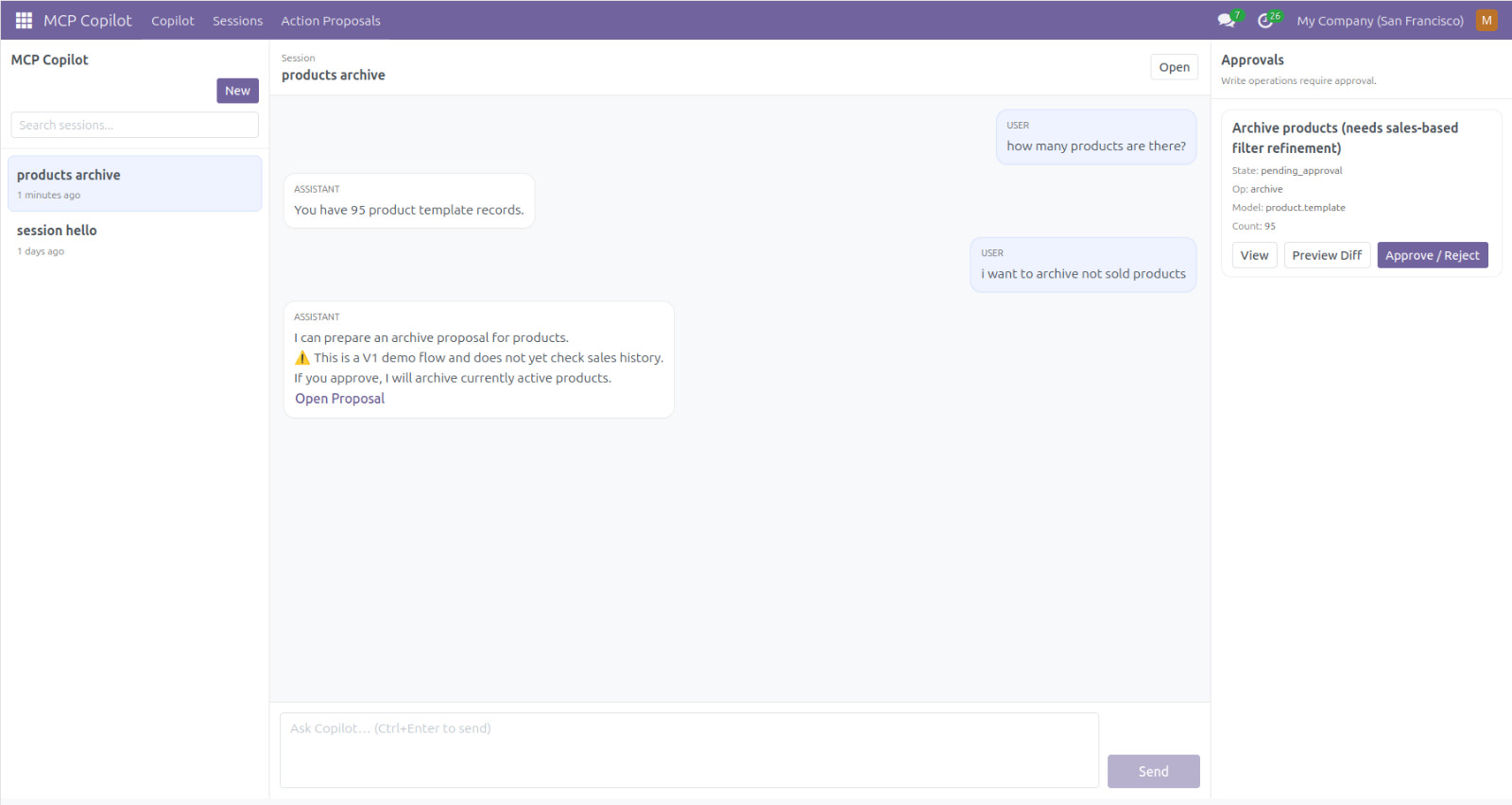
The AI can’t make changes on its own. Any create/update/archive/delete requires your explicit approval.
Clear and transparent activity
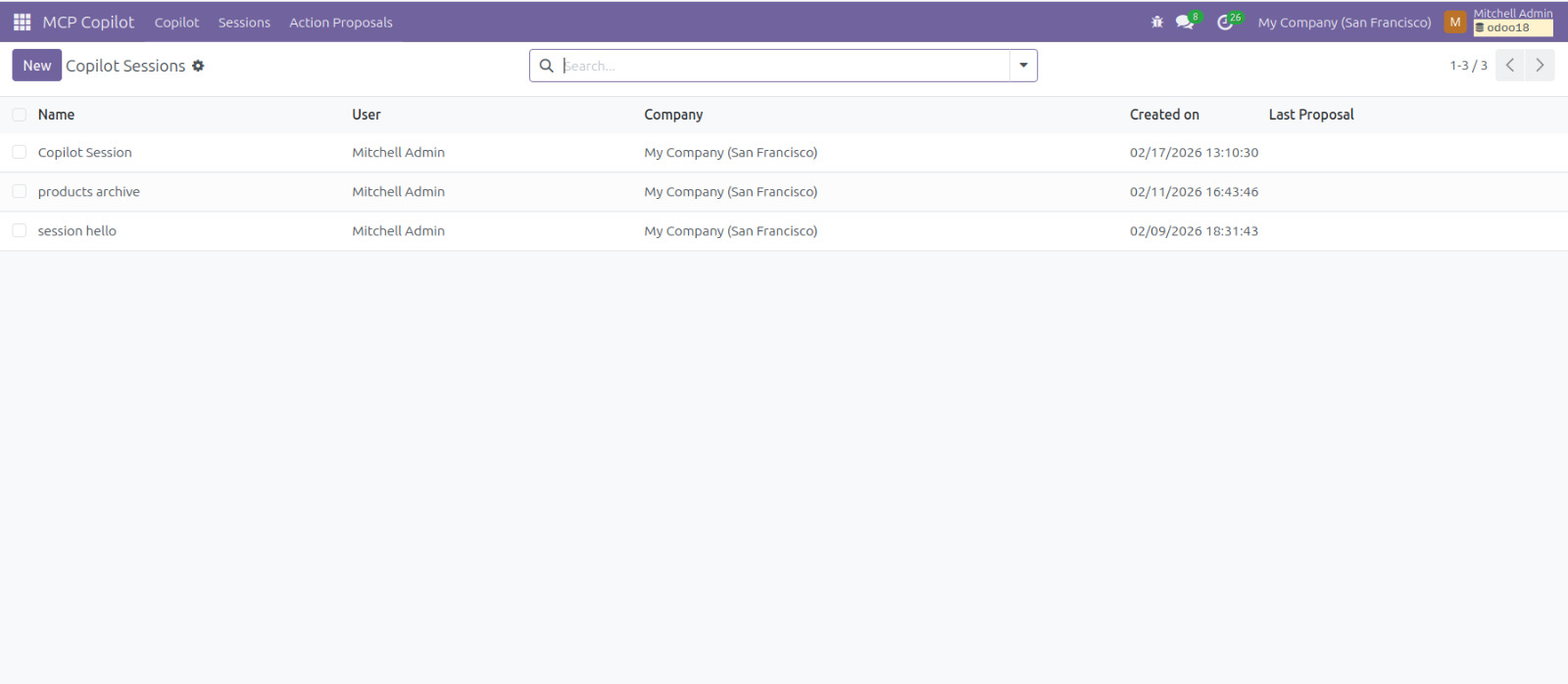
See what the AI suggests and what happens next. Everything is trackable and reviewable.
Built for safe business use
Reasoning and execution stay separate — safer, more deterministic, and easier to govern in real operations.
Grows with your business
Add more policies, rules, and workflows over time while keeping full control over your Odoo data.
MCP Copilot • Setup Guide
Module Setup Instructions
Configure your orchestrator connection, verify access token flow, and start using governed AI inside Odoo — without giving LLMs direct database access.
LLM Service Configuration
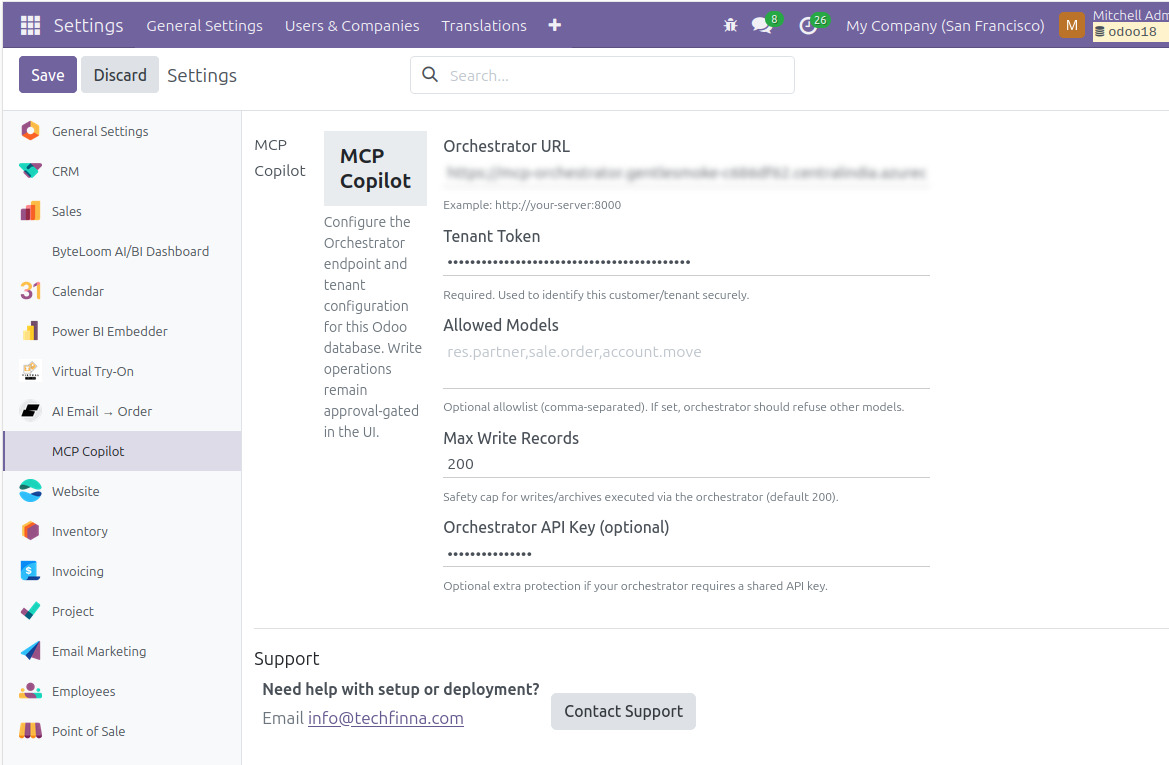
TechFinna provides your Orchestrator URL + Tenant Token. Add them in Odoo Settings → MCP Copilot before using AI features.
- ✓Paste Orchestrator URL (your MCP endpoint)
- ✓Add Tenant Token (identifies your instance securely)
Access Token Management
During initialization, an internal access token is generated. It helps validate calls securely between Odoo and the LLM service.
- ✓Token is generated automatically (no manual copy/paste needed)
- ✓Used to validate requests between Odoo and orchestrator
How It Works
A governed workflow: the AI plans, Odoo validates policies, you approve changes, and execution stays inside Odoo.
User submits a natural language request
Ask things like "How many products are active?" or "Archive products not sold in 6 months."
AI planner analyzes intent
The AI does not access the database. It builds a structured plan using controlled context provided by Odoo controllers.
Odoo validates security rules
Every proposed action is checked against role permissions, business rules, policy controls, and access restrictions.
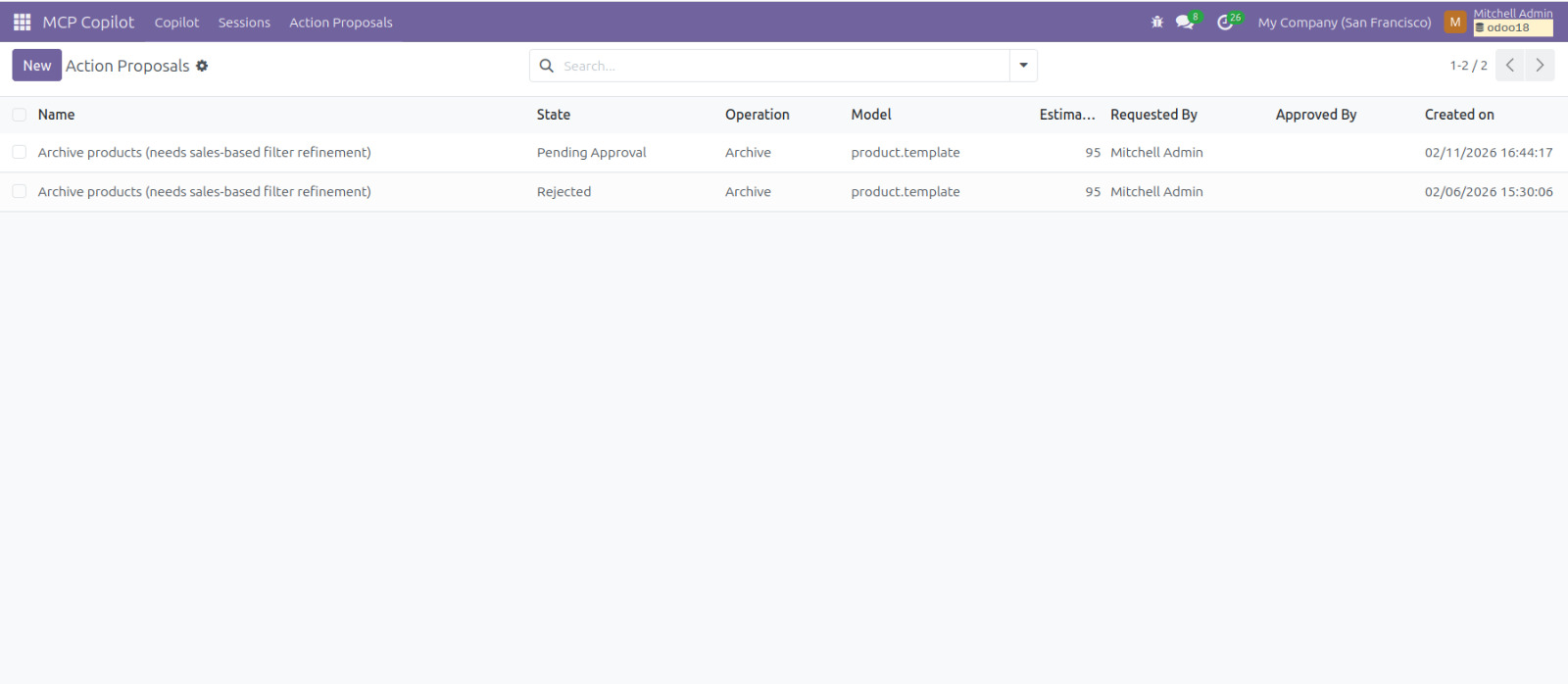
Action proposal is generated (if required)
For write operations (create/update/archive/delete), a clear, reviewable proposal is prepared. No automatic execution.
Human approval is mandatory
You can view full details, preview differences, and approve or reject. Enterprise control stays with you.
Odoo executes safely
Once approved, execution happens fully inside Odoo. Actions can be logged and audited.
No hidden automation. No raw DB access by AI.
Write actions require explicit approval — and everything can be audited.
Reviews
Trusted by teams using Odoo → Your reviews are important to us. We regularly update our modules based on user feedback.